Switch between windows on a Mac, not just apps
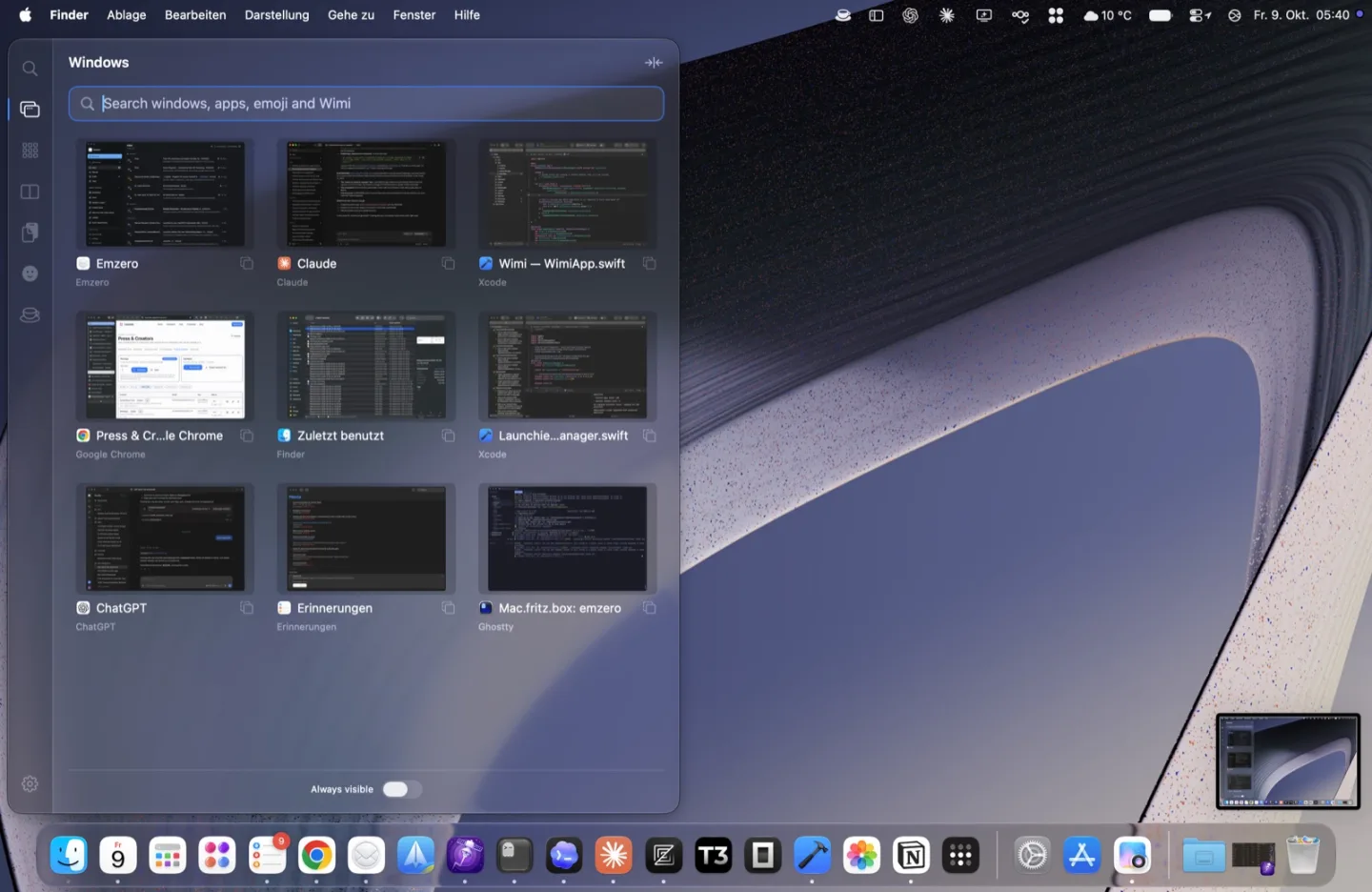
⌘Tab switches apps. Wimi’s ⌥Tab switches windows, so two Safari windows or three editor windows are each one step away. Hold ⌥ and you see every window with a live preview.
Free
⌥Tab
- Tap ⌥Tab to go back to the window you used before, like ⌘Tab does for apps.
- Keep holding ⌥ and press Tab again to step further; ⇧⌥Tab goes backwards.
- Hold ⌥ a moment longer and the drawer opens with previews. Let go of ⌥ to switch.
- Escape cancels.
The drawer
Rest the mouse at the edge of the screen and the drawer slides in, listing your open windows. Click one, or use the arrow keys and Return. Start typing to search windows, apps, layouts and actions in one list.
- List every window, or only the most recent window of each app.
- Show the current Space only (the default), or windows on every Space.
- Keep a slim strip of windows always visible at the edge (Pro).
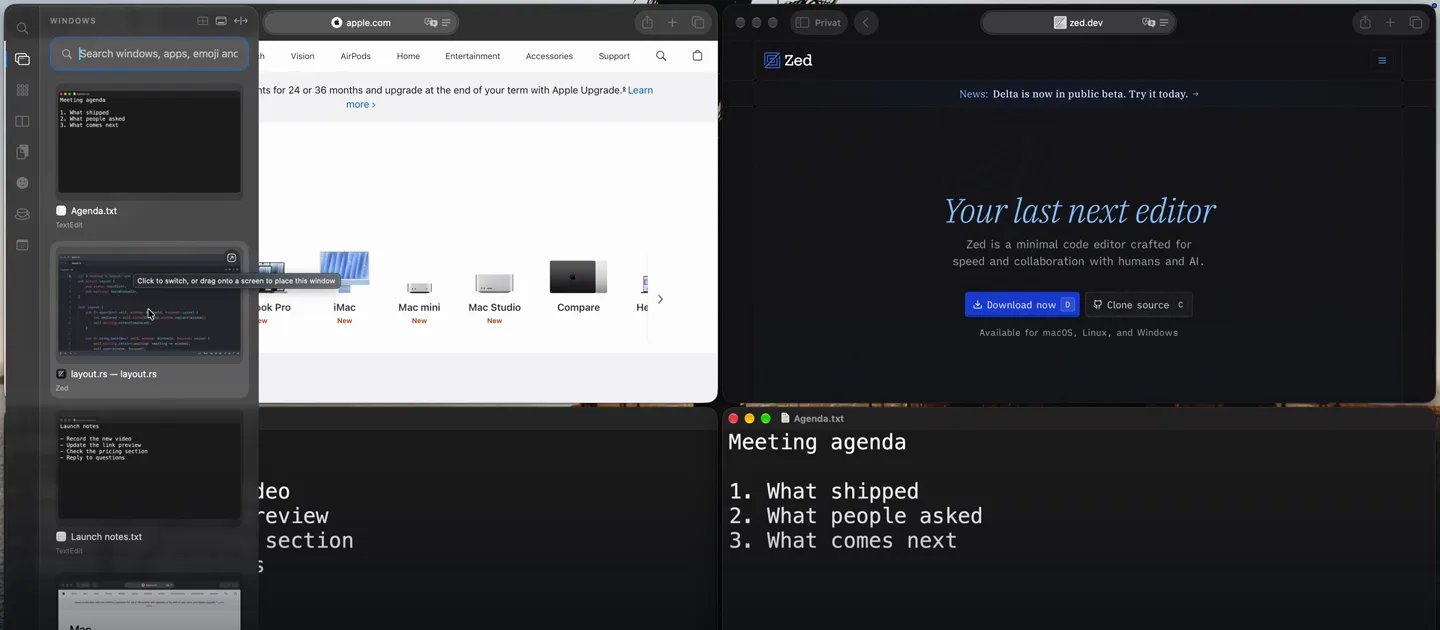
Works with your layout
With a tiling layout on, a window that’s already visible is focused where it is. A parked one comes into the slot you’re working in. You can also drag a window from the drawer onto any slot, even on another display.
Permissions
Accessibility is required to list and focus windows. Screen Recording is optional and only adds the live previews; without it you see app icons. Previews are taken only while the drawer or strip is showing, and stay on your Mac.
Using AltTab? See Wimi vs AltTab. Wimi uses ⌥Tab for its own switcher, so give AltTab a different shortcut if you run both.
Try it on your own windows
Wimi is free to use, and every download includes 30 days of Pro, with no account or card. See what’s Free and what’s Pro.
On your phone? Try Wimi when you’re back at your Mac.
Email opens your mail app with the link filled in; you choose where to send it. We don’t collect your address.